For Example: Invent a simple trigger phrase to replace "Ask Yardian"
Alexa Routines let you create your own custom voice commands to trigger Yardian. This is perfect if you want to water a specific zone for a set time or run your Quick Program using a natural phrase like “Alexa, start the sprinkler” instead of “Alexa, ask Yardian“.
Follow The Steps Below
1
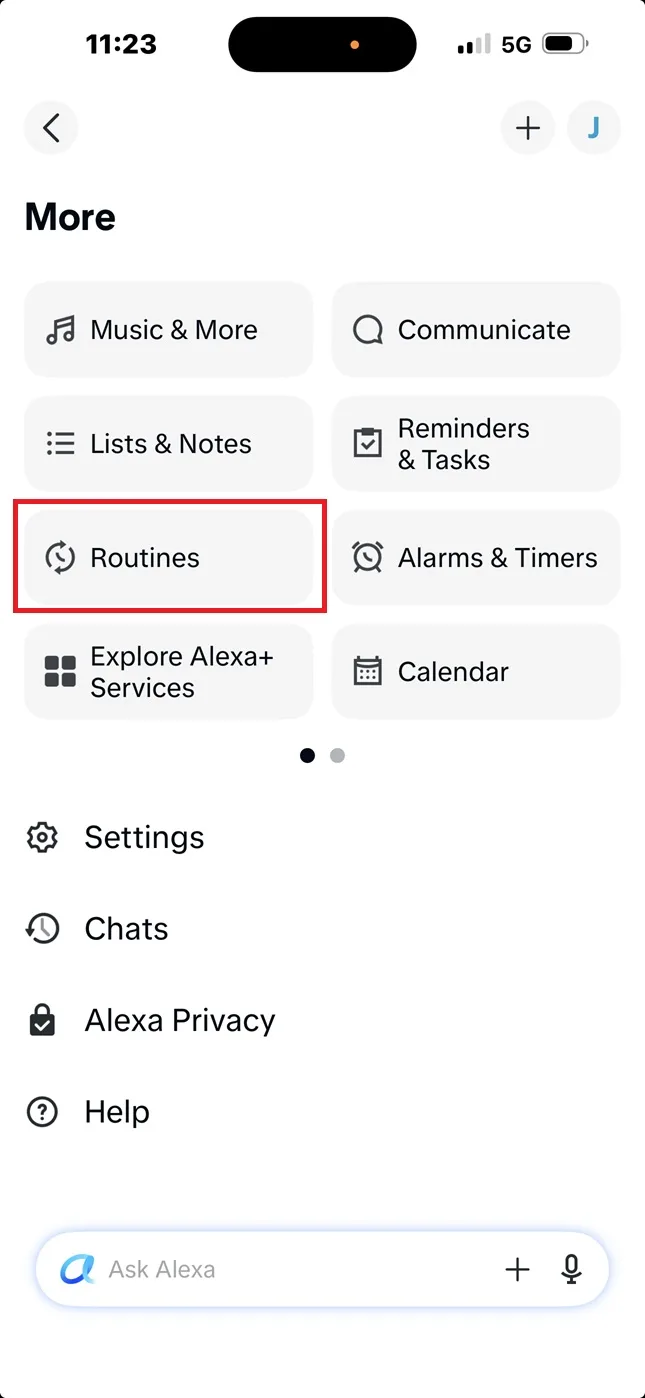
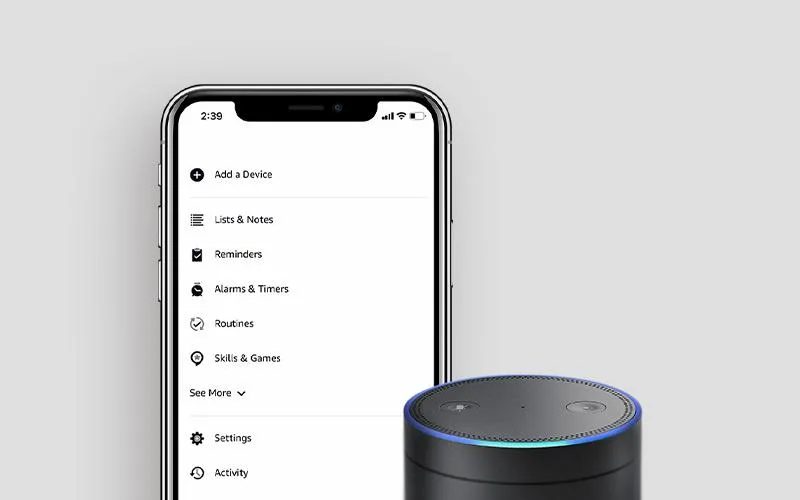
Tap the More icon, then select Routines.
2
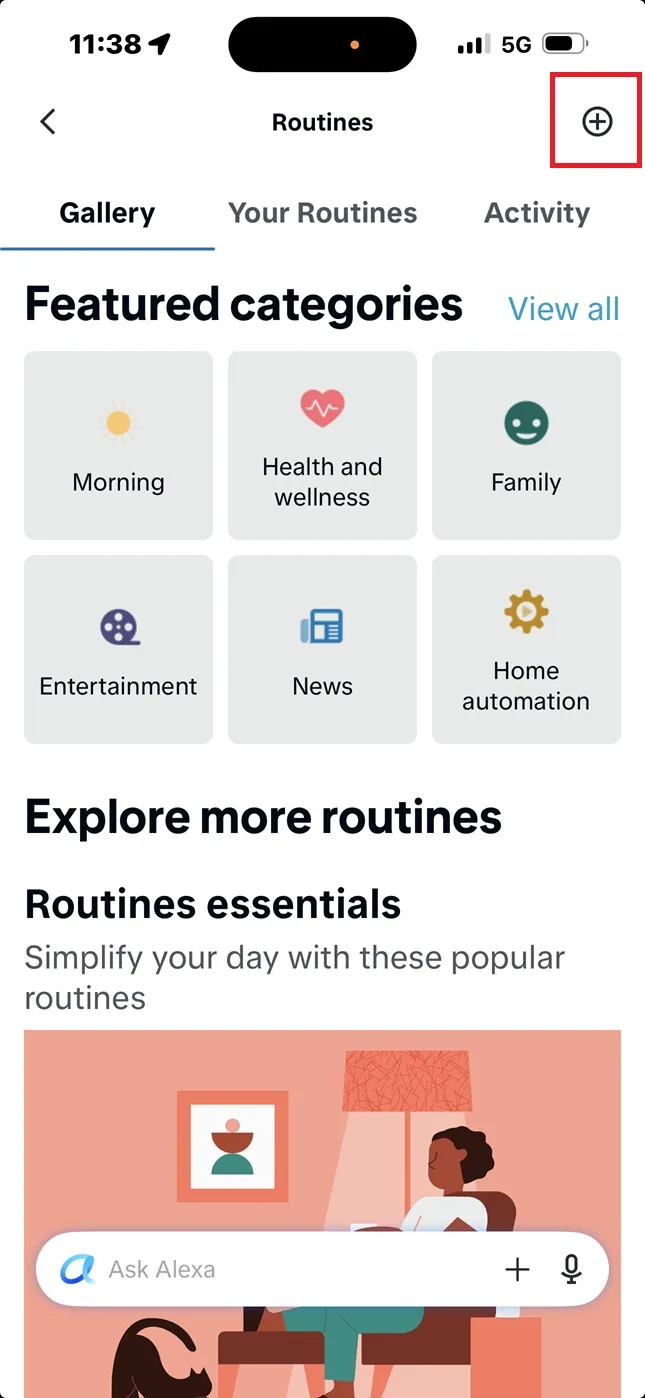
Tap the + (plus) icon in the top right corner to start building your routine.
3
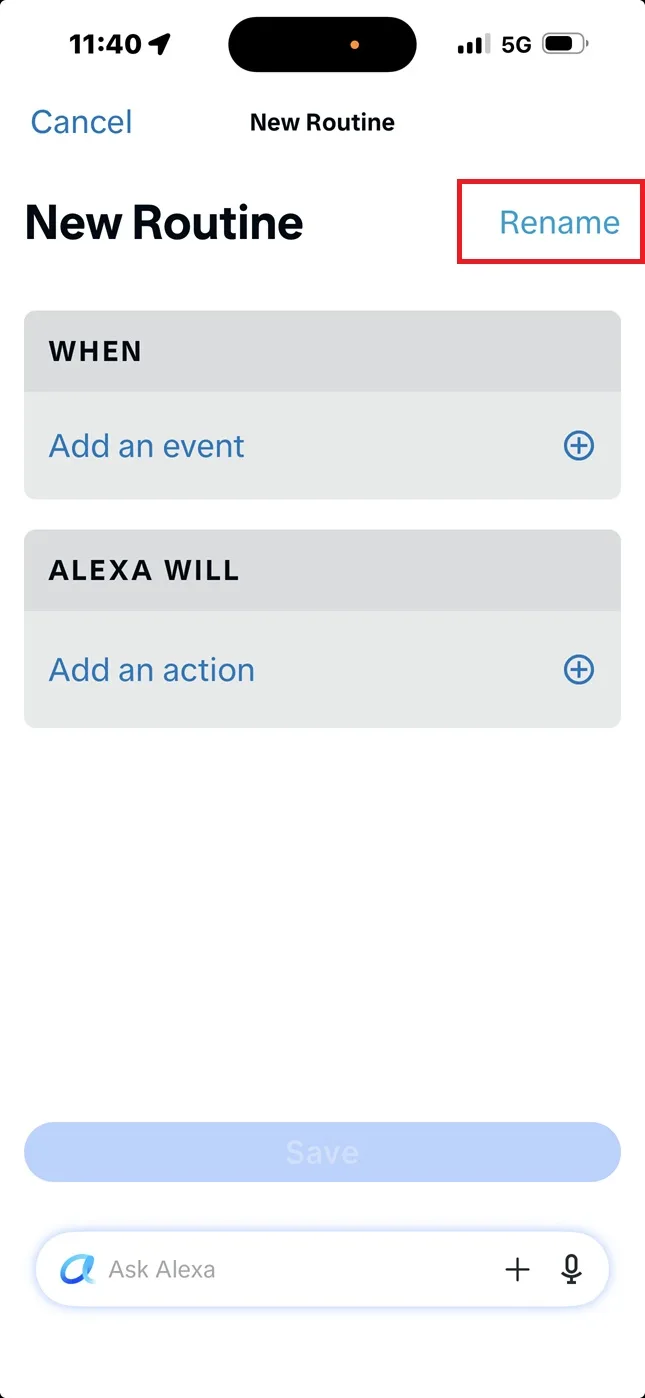
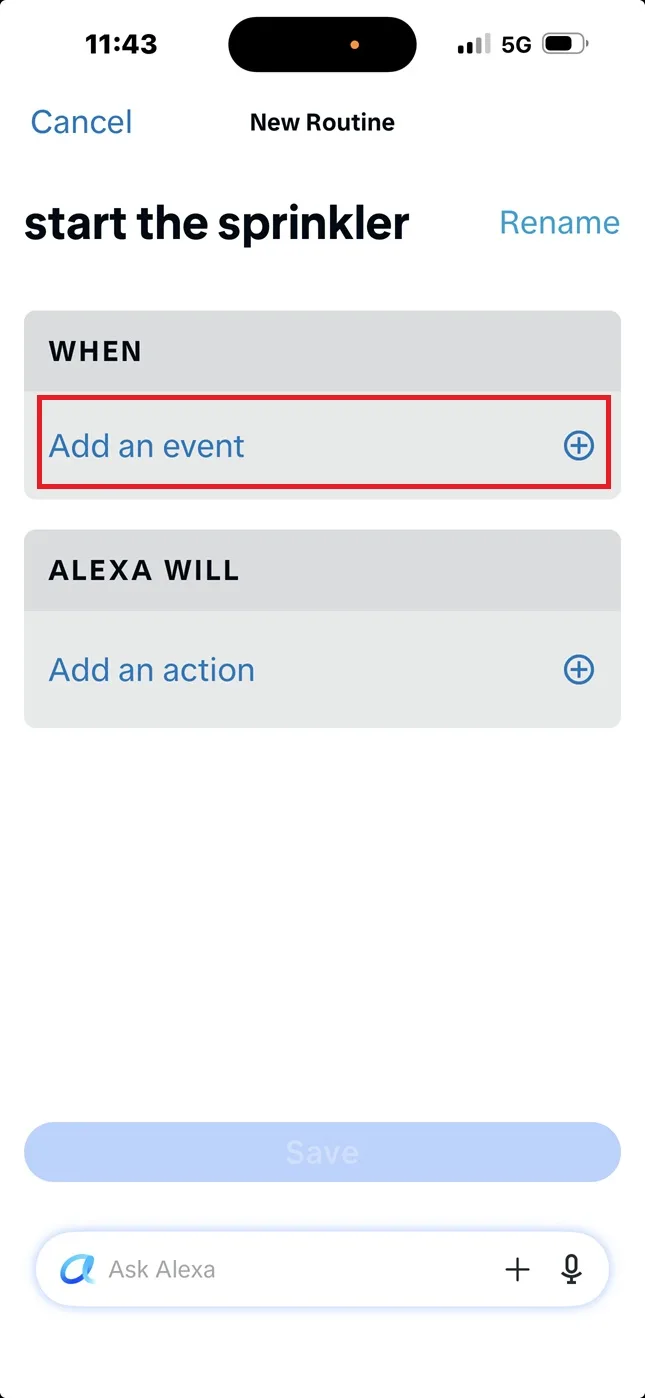
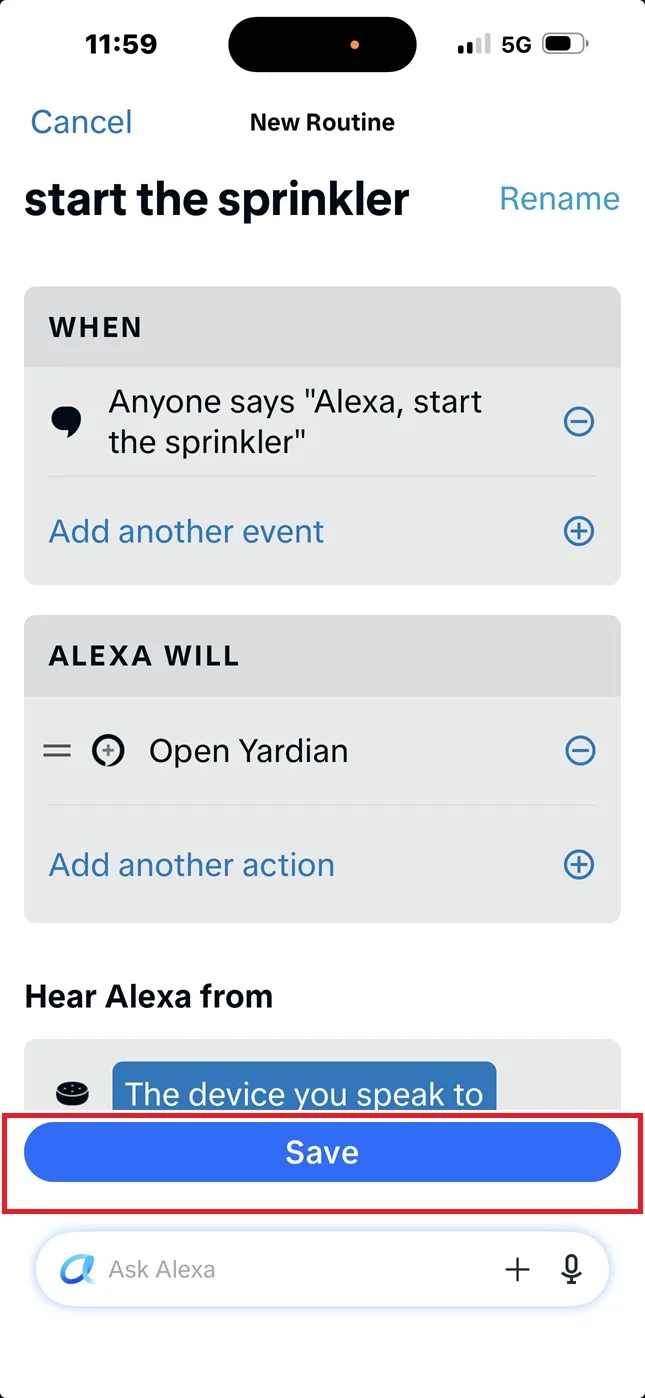
Tap Rename or Enter routine name at the top. (e.g., “start the sprinkler”)
4
Tap When -> Add an event
5
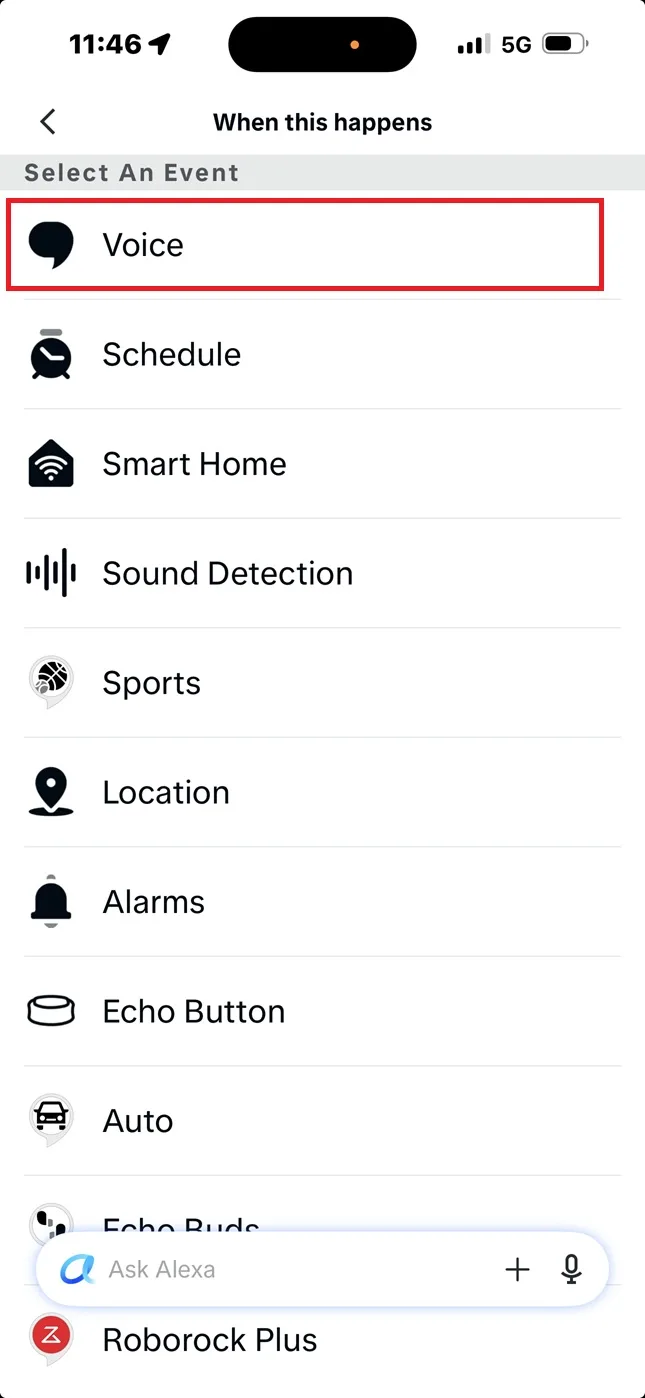
Select Voice.
6
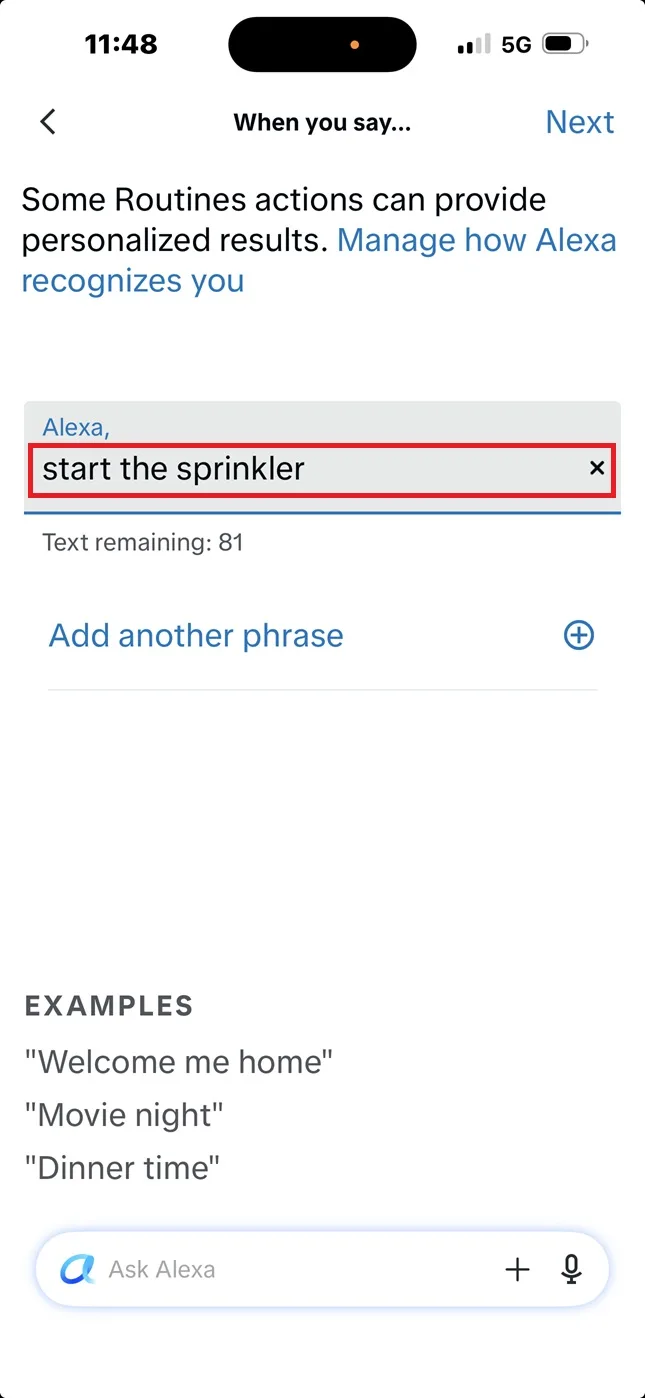
Type the exact phrase you want to say. (e.g., “start the sprinkler”)
Tap Next.
7
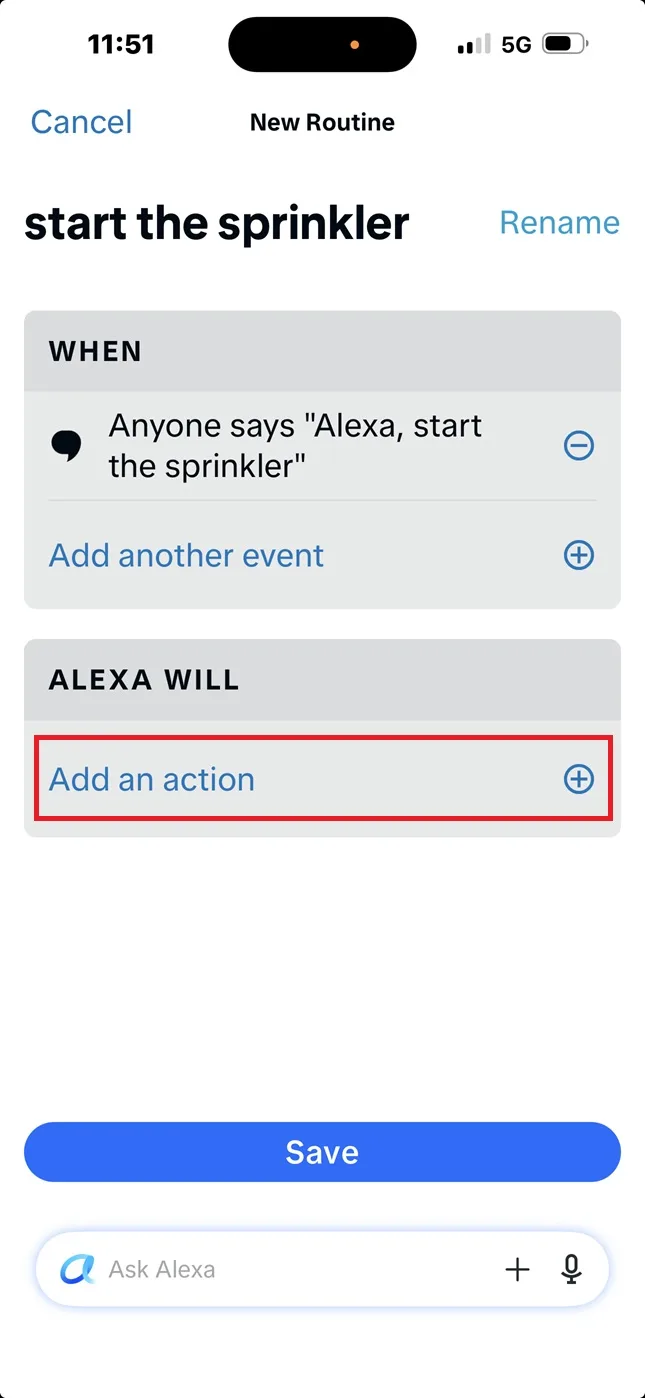
Tap Add an action.
8
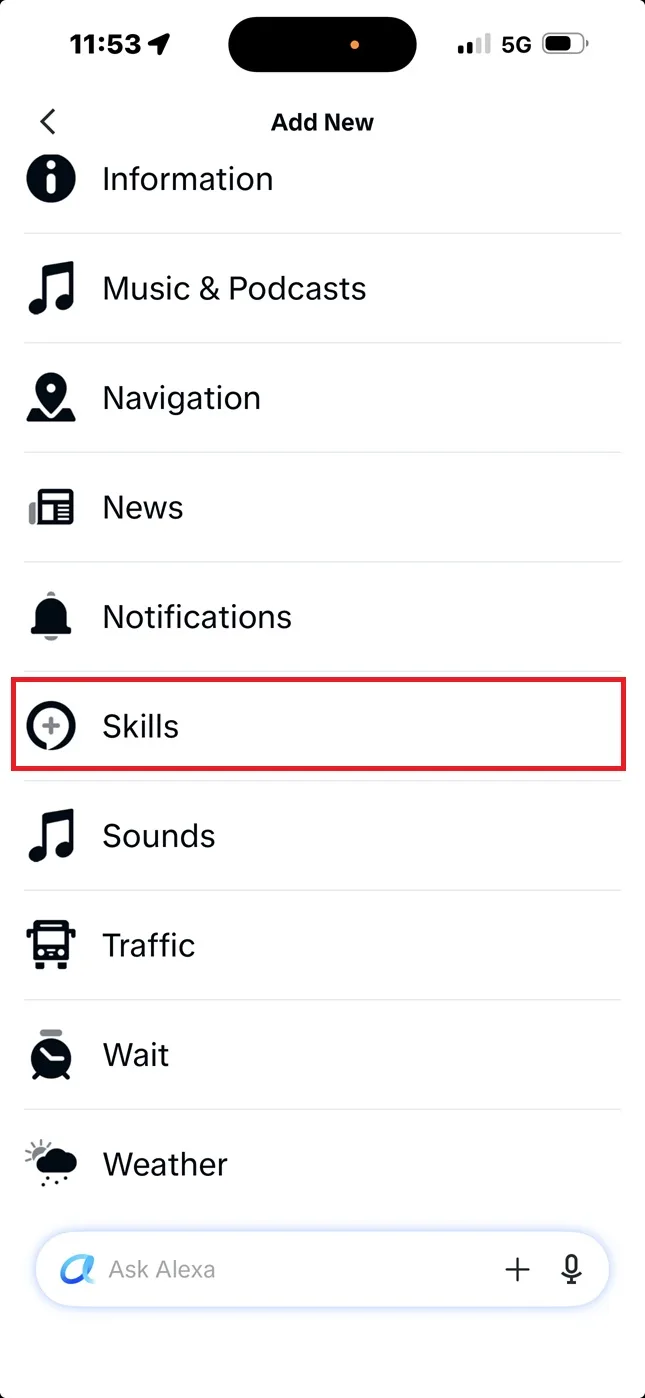
Scroll down and select Skills.
9
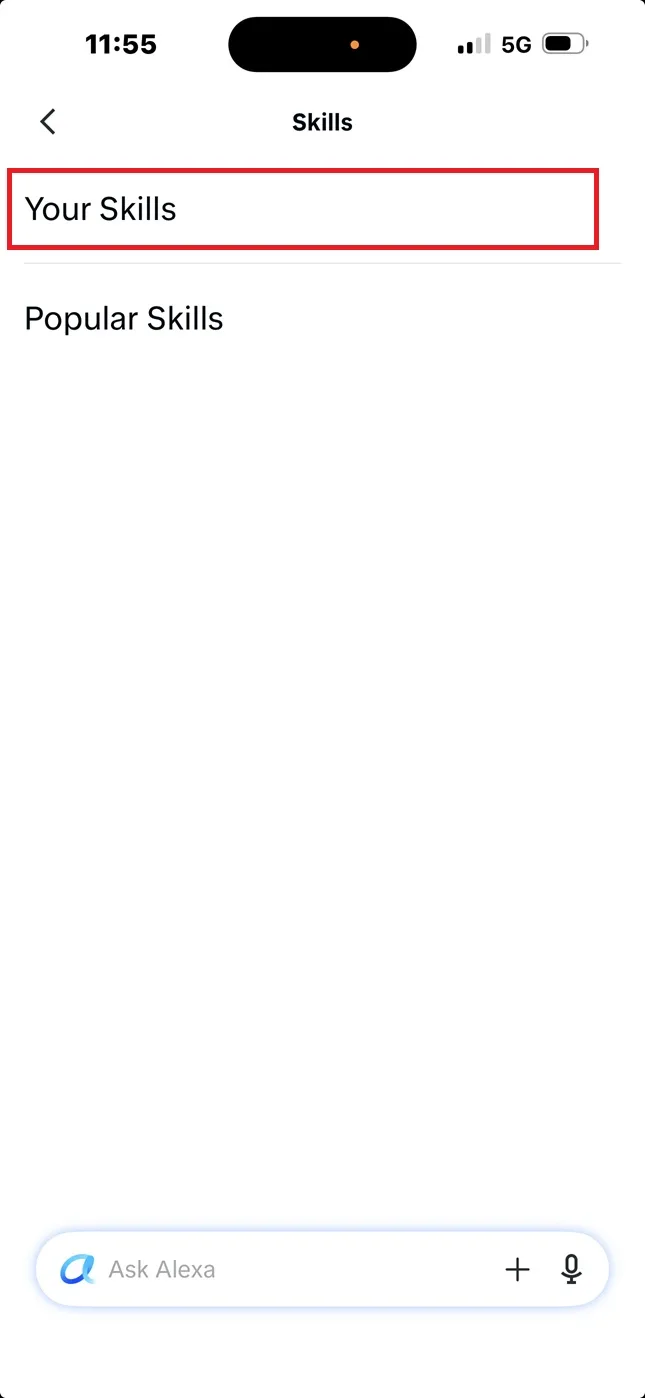
Select Your Skills.
10
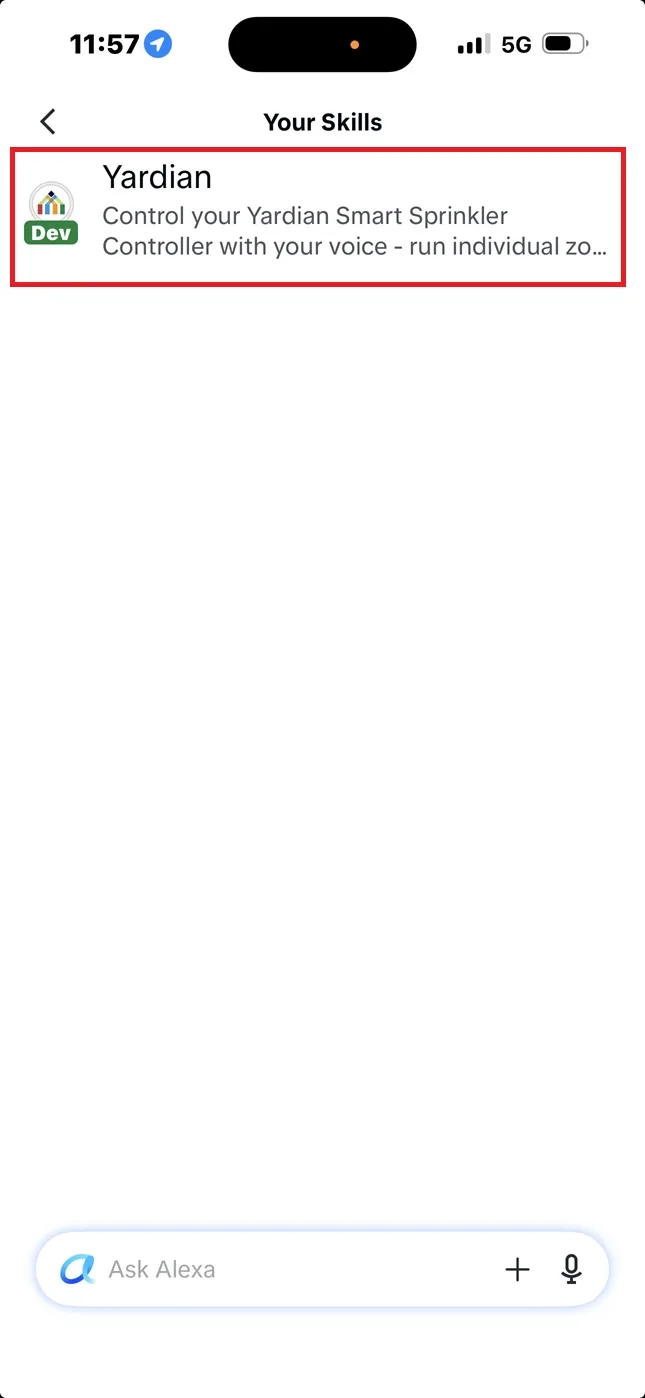
Select Yardian Skill.
11
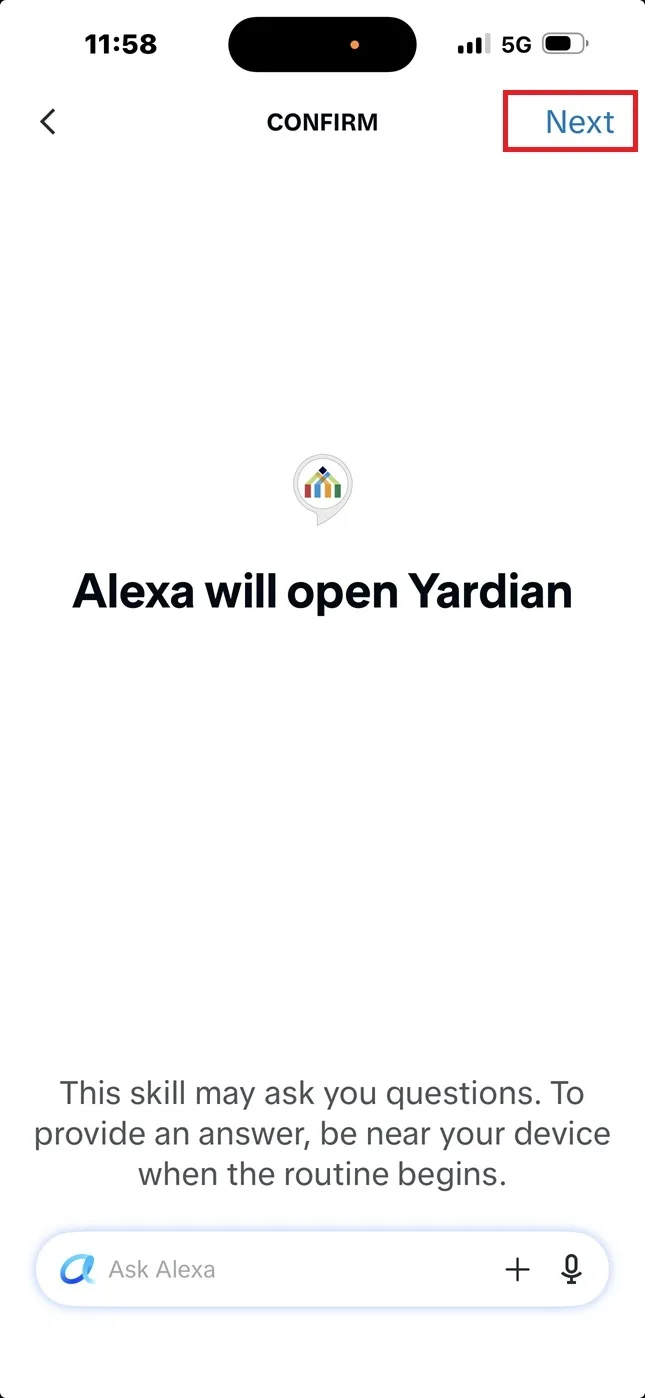
Tap Next.
12
Tap Save.
Wait for 1 minute.
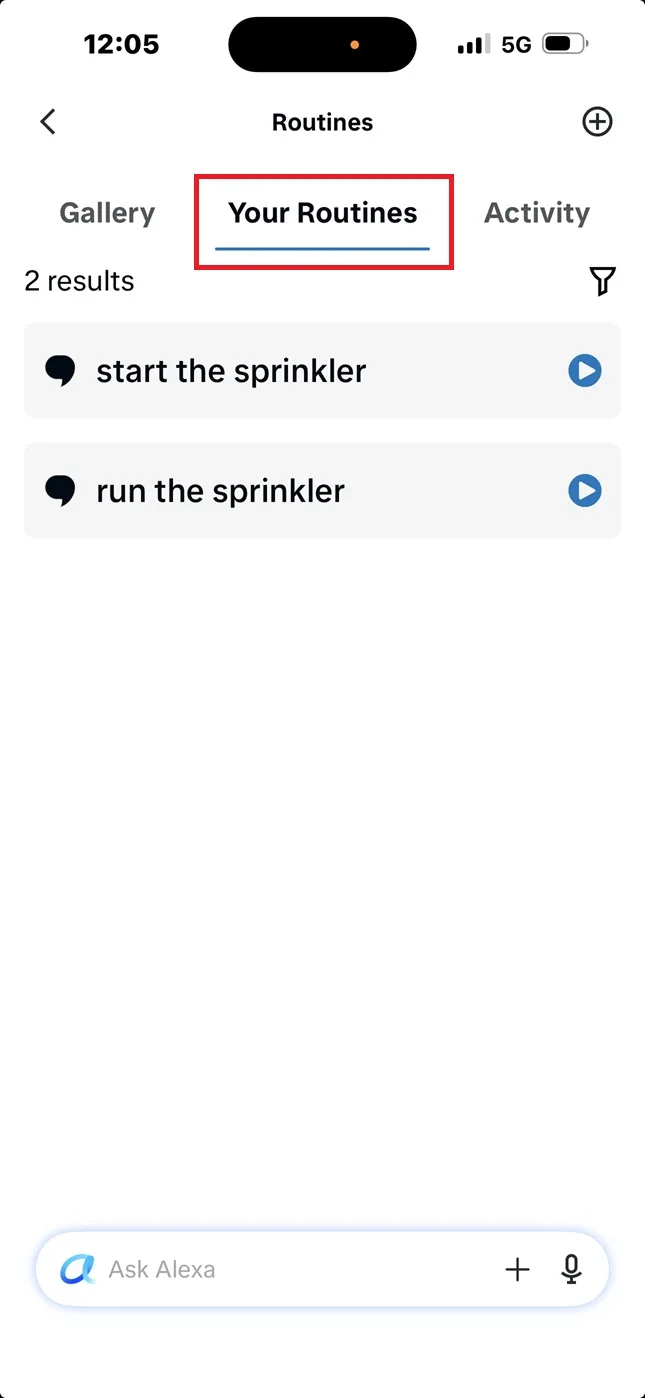
13
Check Your Routines.
You can create multiple phrases to trigger the Yardian Custom Skill!
Congratulations!
Now, whenever you say your custom phrase, Alexa will perfectly execute the Yardian command without you ever needing to pronounce the brand name.